iOS App
Your Digital
Skydiving Logbook
Track every jump, review altitude profiles, manage your gear and dropzones — all synced with your jumplog.net account.
Track every jump, review altitude profiles, manage your gear and dropzones — all synced with your jumplog.net account.
From your first AFF jump to your thousandth wingsuit flight — Paralog Mobile keeps your logbook complete and always with you.
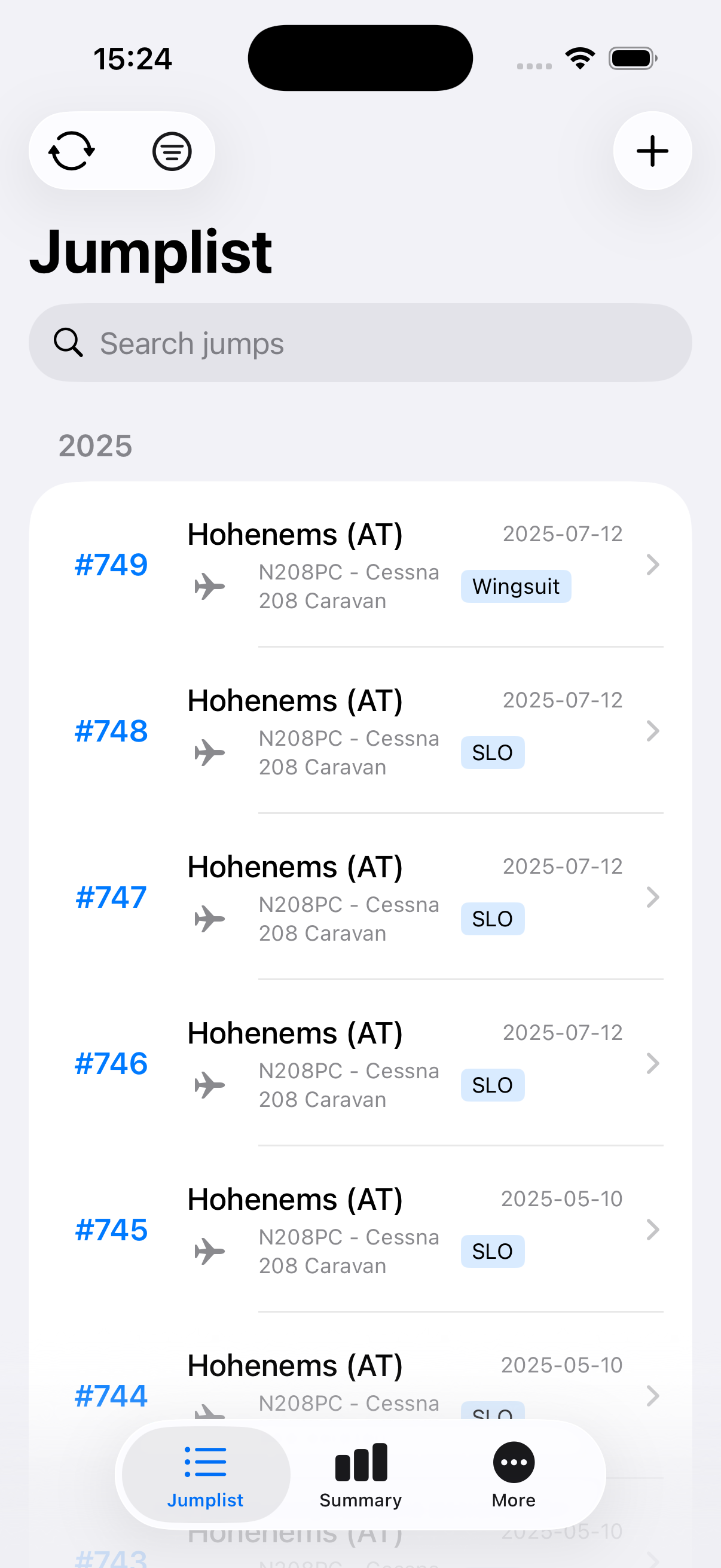
Browse your complete jump history, grouped by year. Filter by dropzone, aircraft, equipment, or jump type in seconds.
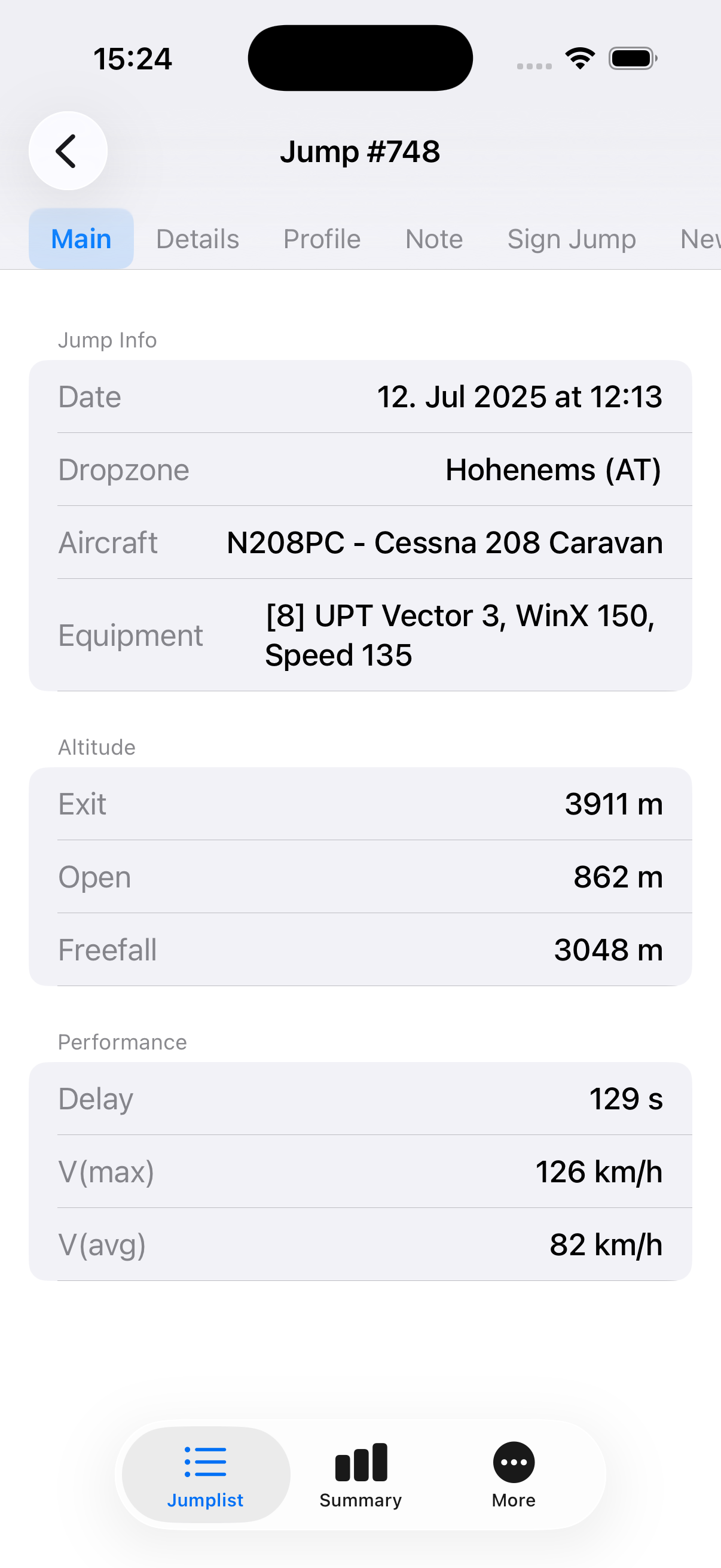
See all the info for each jump at a glance: date, dropzone, aircraft, equipment, exit altitude, freefall time, delay, and more.
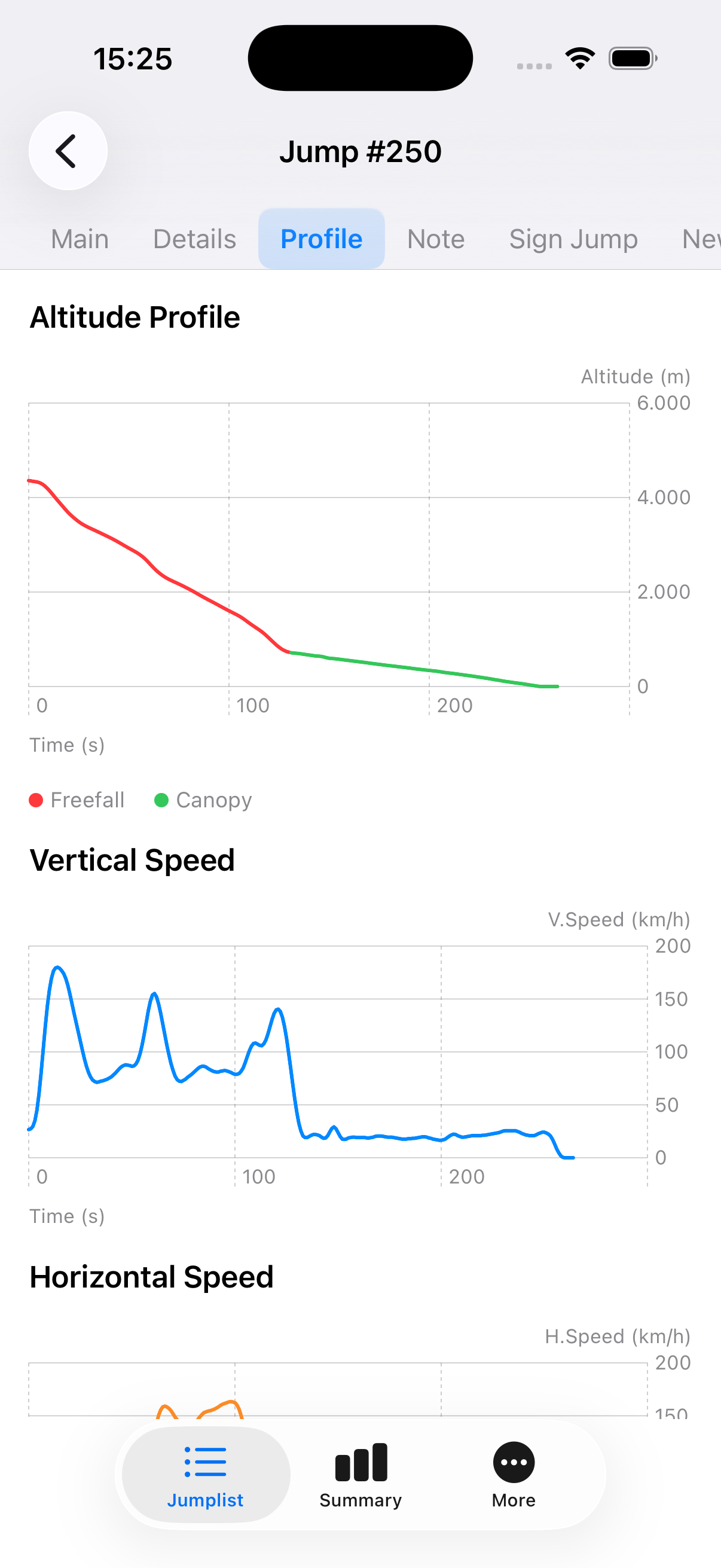
Visualize your freefall and canopy flight with altitude, vertical speed, and horizontal speed graphs per jump.
Capture an instructor or coach's digital signature directly on your device and attach it to a jump entry.
Quickly log a new jump by duplicating an existing one — perfect when you're making multiple jumps at the same dropzone.
Get a clear overview of totals across dropzones, aircrafts, equipment rigs, and jump types — all with summed jump counts.
Manage your jumplog.net account settings directly within the app — no browser needed.
Paralog Mobile connects to your jumplog.net account, keeping your logbook in sync across all your devices.
Every jump in chronological order, grouped by year. Tap to dive into the full details of any entry.
Exit altitude, opening altitude, freefall distance, delay, max speed, average speed — all recorded and ready to review.
Replay your freefall and canopy with altitude, vertical speed, and horizontal speed charts recorded from your jump data.
Paralog Mobile is the companion app for jumplog.net, the online skydiving logbook trusted by skydivers worldwide.
All your jumps live on jumplog.net. Paralog Mobile lets you access, view, and manage your logbook from your iPhone — online or in your pocket at the dropzone.
Download Paralog Mobile for free and connect it to your jumplog.net account in seconds.